

Map and Set in JavaScript
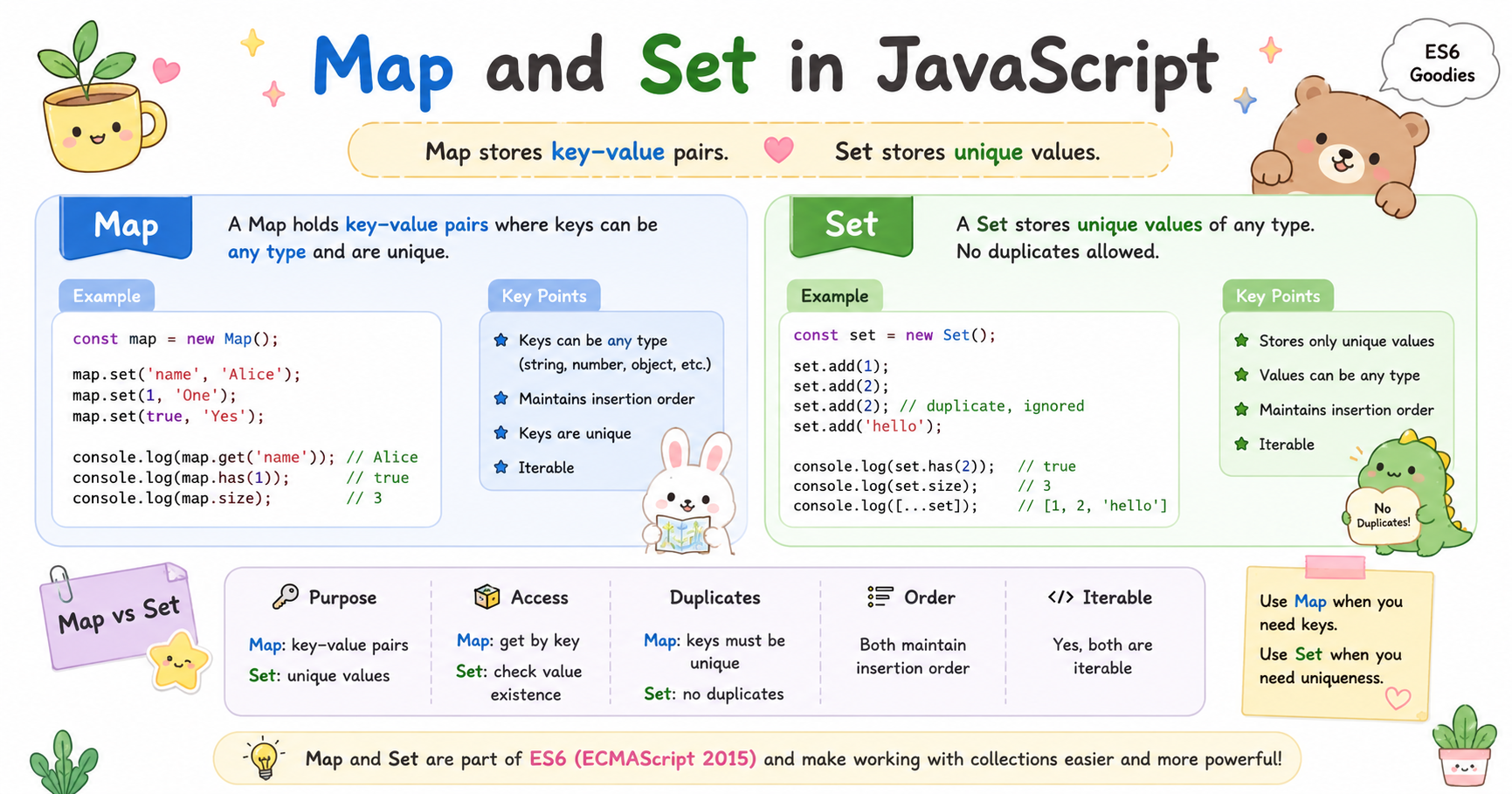
JavaScript originally relied heavily on Objects and Arrays for storing and managing data. While they still work well in many cases, developers often ran into limitations when handling unique values, complex key-value storage, and efficient data management. To solve these problems, JavaScript introduced two modern data structures: Map and Set.
Map is designed for flexible key-value storage, while Set is built for storing unique values only. Understanding these structures helps write cleaner, faster, and more predictable JavaScript code.
Problems with Traditional Objects and Arrays
Before Map and Set, developers mostly used:
Objects for key-value storage
Arrays for collections of values
These approaches worked, but they had several practical issues.
Problems with Objects
Objects are commonly used like dictionaries.
const user = {
  name: "Pritam",
  age: 21
};
1. Keys Are Mostly Strings
Object keys are automatically converted into strings.
const obj = {};

obj[1] = "number";
obj[true] = "boolean";

console.log(obj);
Output:
{
  "1": "number",
  "true": "boolean"
}
Even numbers and Booleans become strings internally.
2. Objects Have Prototype Properties
Objects inherit built-in properties from prototypes.
const obj = {};

console.log(obj.toString);
This can sometimes create conflicts or unexpected behavior.
3. Difficult Size Handling
To count object properties:
Object.keys(obj).length
There is no direct .size property like modern data structures provide.
Problems with Arrays
Arrays are excellent for ordered lists, but not ideal for uniqueness.
const numbers = [1, 2, 2, 3, 3];
Duplicate values are allowed. If you want only unique values, extra logic is required.
const unique = [];

for (let value of numbers) {
  if (!unique.includes(value)) {
    unique.push(value);
  }
}
This becomes inefficient for large datasets.
What is Map?
A Map is a collection of key-value pairs where keys can be of any data type. Unlike Objects, Map does not restrict keys to strings.
Creating a Map
const userMap = new Map();
Adding Values
userMap.set("name", "Pritam");
userMap.set(101, "Employee ID");
userMap.set(true, "Active User");
Accessing Values
console.log(userMap.get("name"));
Output:
Pritam
What is Set?
A Set is a collection of unique values. It automatically removes duplicates.
Creating a Set
const numbers = new Set();
Adding Values
numbers.add(1);
numbers.add(2);
numbers.add(2);
numbers.add(3);
Checking the Result
console.log(numbers);
Output:
Set(3) {1, 2, 3}
The duplicate 2 is ignored automatically.
Difference Between Map and Object
Although both store key-value data, they are fundamentally different.
| Feature | Map | Object |
|---|---|---|
| Key Types | Any data type | Mostly strings/symbols |
| Insertion Order | Preserved | Less predictable historically |
| Size | map.size |
Object.keys().length |
| Iteration | Directly iterable | Requires conversion |
| Performance | Better for frequent operations | Good for simple structures |
| Prototype Issues | No inherited keys | Has prototype chain |
Difference Between Set and Array
Both store collections of values, but they behave differently.
| Feature | Set | Array |
|---|---|---|
| Duplicate Values | Not allowed | Allowed |
| Order | Preserved | Preserved |
| Index Access | No | Yes |
| Performance for Lookup | Faster | Slower for large data |
| Unique Data Handling | Automatic | Manual |
When to Use Map
Use Map when:
You need true key-value storage
Keys are dynamic
Keys are not just strings
Frequent insert/delete operations are required
You want predictable iteration order
When to Use Set
Use Set when:
You need only unique values
Duplicate prevention matters
Fast existence checking is needed
Removing duplicates from arrays
Conclusion
Map and Set solve many limitations of traditional Objects and Arrays in JavaScript.
Map provides a cleaner and more powerful approach for key-value storage, especially when keys are dynamic or non-string values. It is designed for efficient insertion, deletion, and iteration.
Set focuses on uniqueness. It automatically prevents duplicate values and simplifies tasks like duplicate removal and fast existence checking.
Objects and Arrays are still essential in JavaScript, but Map and Set are often better choices for specialized data handling. Choosing the correct structure improves readability, performance, and maintainability of applications.


