

How Node.js Handles Multiple Requests with a Single Thread
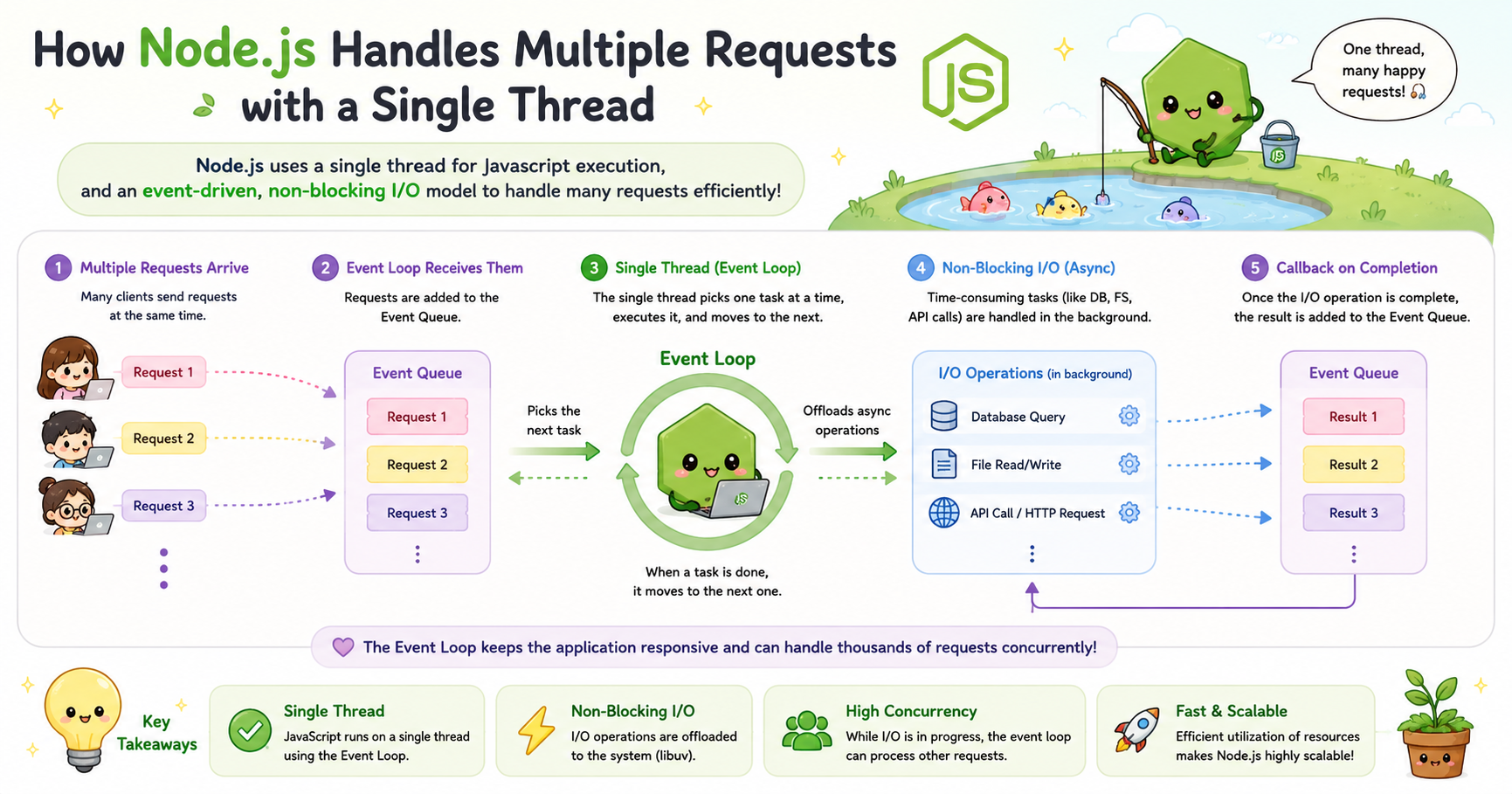
Modern web applications often serve thousands of users at the same time. Chat apps, streaming platforms, APIs, dashboards, and real-time collaboration tools all need to process many requests concurrently without slowing down. Traditionally, servers solved this problem using multiple threads. Each incoming request could get its own thread, allowing several tasks to run in parallel.
Node.js takes a different approach. Instead of creating many threads for handling client requests, Node.js primarily uses a single-threaded event-driven architecture. At first glance, this sounds inefficient or limiting. Many developers initially assume that a single thread cannot possibly handle heavy traffic. In practice, however, Node.js powers large-scale systems used by companies like Netflix, PayPal, and LinkedIn.
The reason is that Node.js is designed around asynchronous execution and non-blocking operations. Instead of waiting for tasks to finish one by one, it keeps the system responsive by intelligently delegating work and continuing execution.
Understanding the Single-Threaded Nature of Node.js
At its core, Node.js runs JavaScript code on a single main thread. This means there is one primary execution path where JavaScript instructions are processed.
In many traditional server environments, each client request may create a new thread. While this allows simultaneous execution, it also increases memory usage and operating system overhead. Managing thousands of threads becomes expensive because every thread consumes system resources.
Node.js avoids this problem by keeping a lightweight execution model. Instead of spawning a thread for every request, it processes incoming events within one main thread.
This does not mean Node.js can only handle one user at a time. The important distinction is between executing JavaScript and handling I/O operations.
For example, consider these tasks:
Reading a file
Querying a database
Calling an API
Accessing the network
Waiting for user input
These operations are slow compared to CPU speed. If the server waited for each one to complete before continuing, performance would collapse under heavy traffic.
Node.js solves this using asynchronous execution.


