

Control Flow in JavaScript: If, Else, and Switch Explained
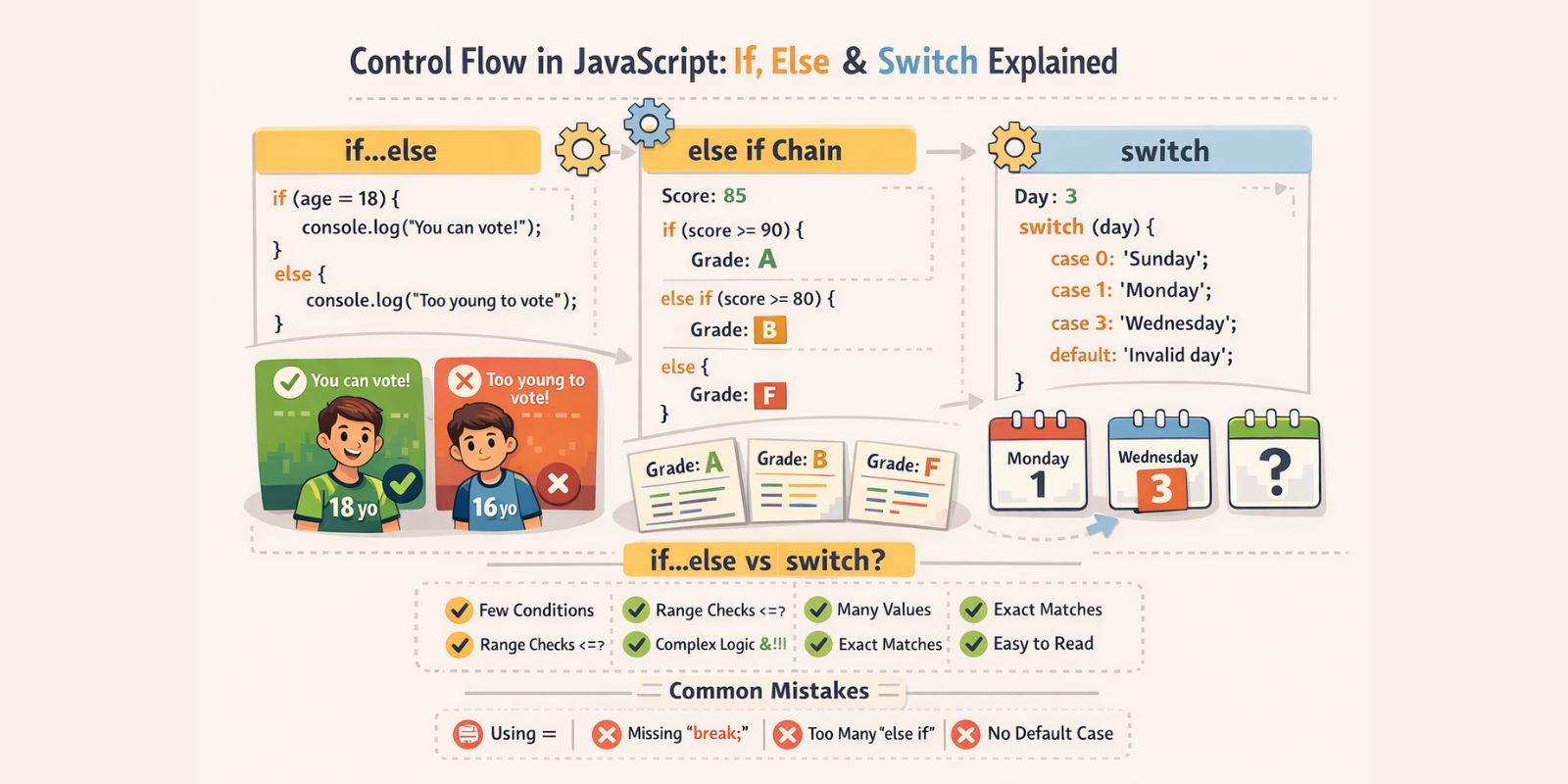
Decision making and conditional checking are essential parts of programming, not just declaring variables and storing data. When a program runs differently under different conditions, it is referred to as control flow.
Having knowledge of control flow is fundamental, as it is necessary in every real-world program.
What control flow means in programming
When some instructions are executed in a program in an order, it is called control flow. In JavaScript, code is usually executed line by line from top to bottom. This is known as sequential execution.
console.log("Start");
console.log("Processing");
console.log("End");

// Output:
// Start
// Processing
// End
But in reality, you will rarely see this simple use case in programming. A program can have multiple possible results based on different scenarios.
Example:
You need some cash and you go to the nearest ATM to withdrawal some money. After inserting the card, you enter your secret PIN. And now if your PIN was correct, it will continue and will provide you with the exact amount you asked for, but if your PIN was wrong, then it will reject your request.
ATM machine checks a condition and decides what to do next. This can also be done in JavaScript using control flow statements.
JavaScript has tools like if, if...else, else if, and switch to run a specific block of code with specific conditions.
The if Statement
The if statement executes a block of code only if a condition is true.
Syntax:
if (condition) {
  // code to run if condition is true
}
Example:
let age = 20;

if (age >= 18) {
  console.log("You are an adult.");
}
JavaScript will run this code only if the age is greater than or equal to 18.
The if-else Statement
A condition can have two scenarios: true or false. When you need to run different code for both scenarios, you need the if-else statement.
Syntax:
if (condition) {
  // runs if condition is true
} else {
  // runs if condition is false
}
Example:
let marks = 45;

if (marks >= 50) {
  console.log("You passed the exam.");
} else {
  console.log("You failed the exam.");
}
If marks variable is greater than or equal to 50, then in console you'll see "You passed the exam." But if the variable is less than 50, then in the console you'll see "You failed the exam."
In an if-else block, only one portion will be executed, either the if block or the else block. Both can never run at the same time.
The else if Ladder
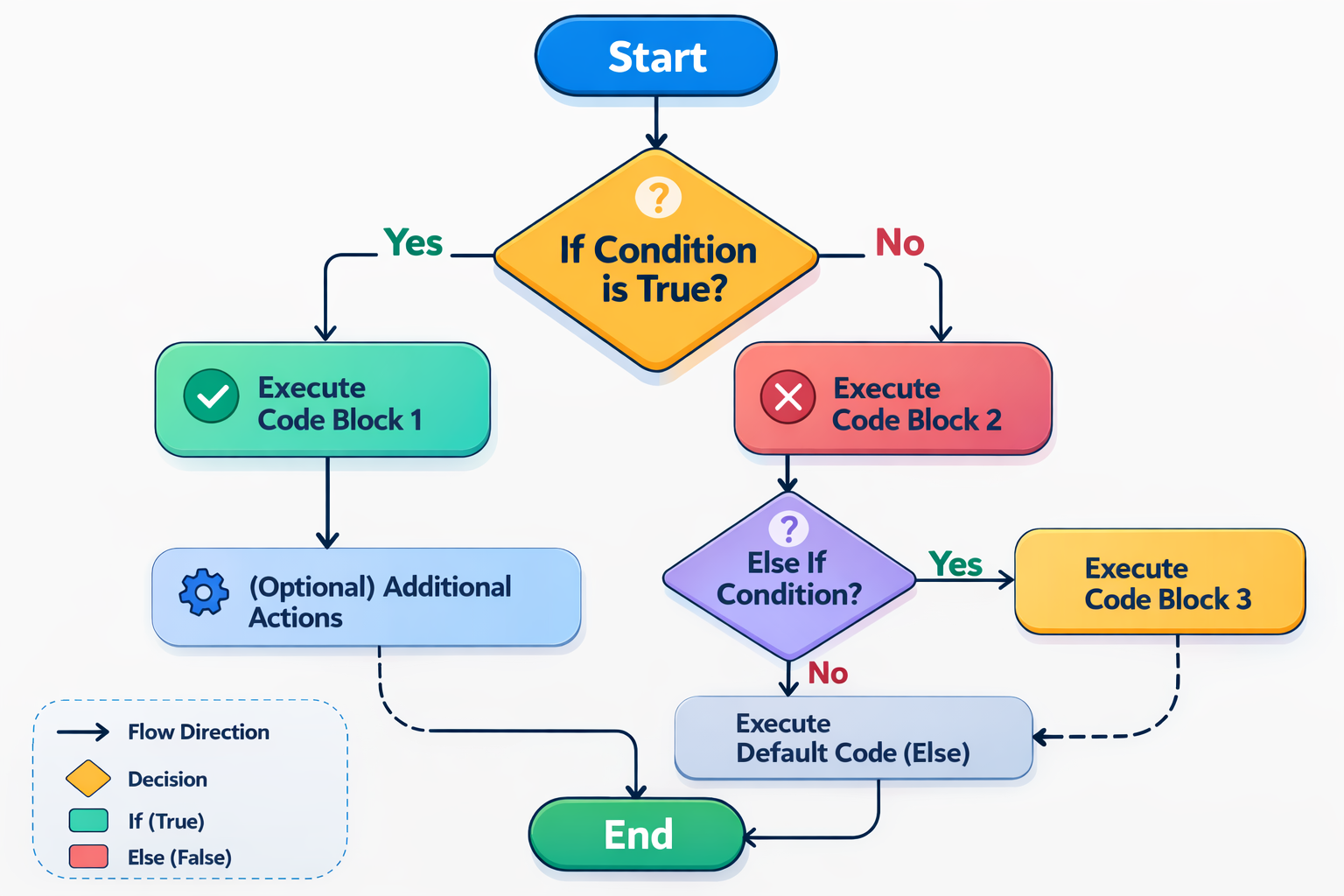
When you need more than two conditions to check, you need an else if ladder.
Syntax:
if (condition1) {
  // code
} else if (condition2) {
  // code
} else if (condition3) {
  // code
} else {
  // default case
}
Example:
let marks = 82;

if (marks >= 90) {
  console.log("Grade A");
} else if (marks >= 75) {
  console.log("Grade B");
} else if (marks >= 60) {
  console.log("Grade C");
} else {
  console.log("Fail");
}

// Output
// Grade B
In grading marks, you need to check multiple cases. Depending on the marks, grading will be different each time. One thing to remember is that if one condition matches, others will be not checked.
The switch Statement
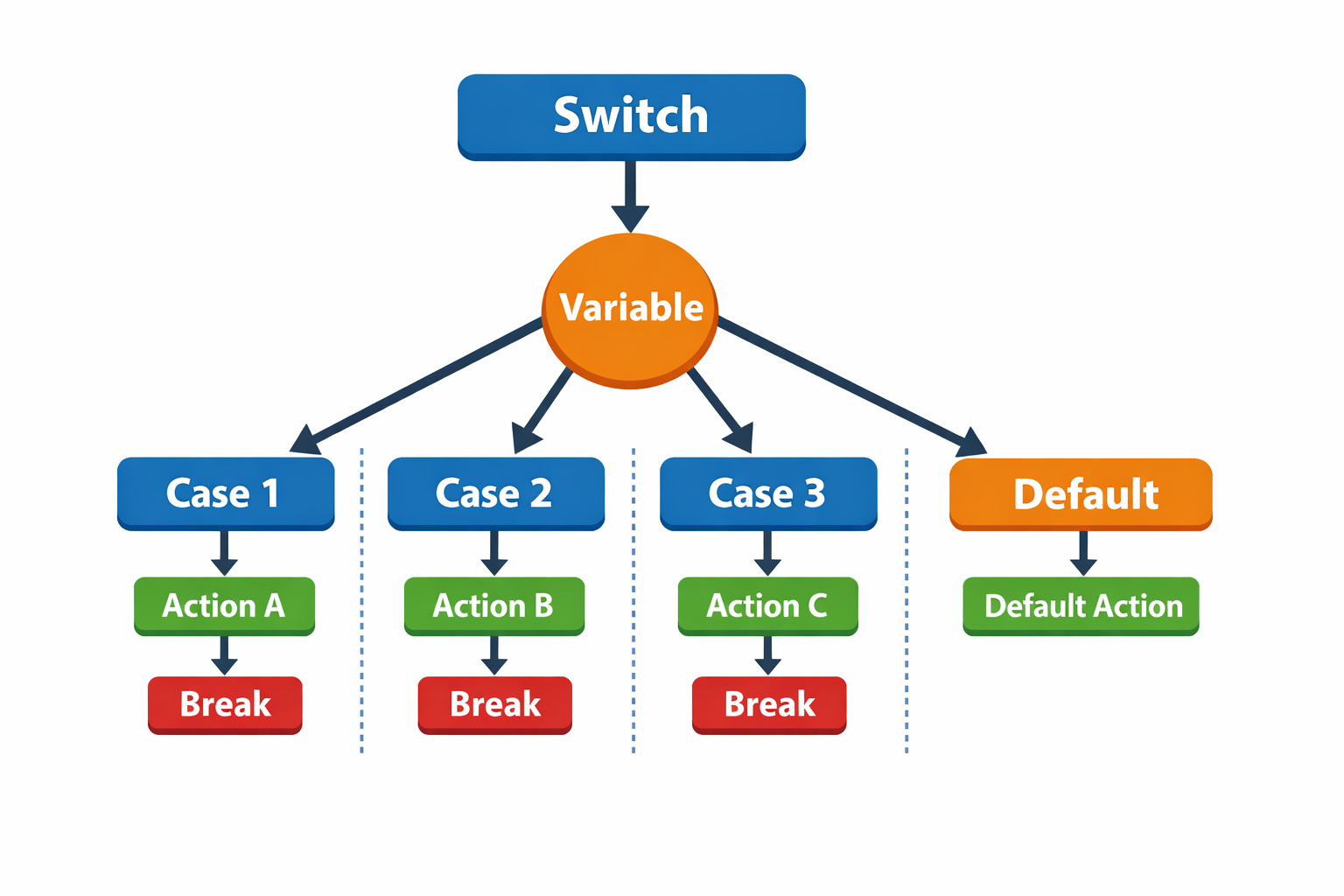
When many conditions depend on one value with multiple possible cases, a switch makes more sense than long else if chains.
Syntax:
switch (expression) {

  case value1:
    // code
    break;

  case value2:
    // code
    break;

  default:
    // code
}
Example:
let day = 3;

switch (day) {
  case 1:
    console.log("Monday");
    break;

  case 2:
    console.log("Tuesday");
    break;

  case 3:
    console.log("Wednesday");
    break;

  case 4:
    console.log("Thursday");
    break;

  default:
    console.log("Invalid day");
}

// Output
// Wednesday
Switch checks for each case, and if the value matches, it executes the code inside that case.
Why break in every case?
Unlike if-else, where only one block executes, a switch starts executing from the matched case and continues into the following cases unless a break statement stops it. The break prevents this fall-through behavior.
When to use switch vs if-else
It depends on the type of condition you are checking.
Use if-else when:
When conditions include ranges or comparisons
When you need to check complex conditions
if (age >= 18)
if (age > 18 && citizen === true)
Use switch When:
When you compare a variable to many fixed values
When cases are in discrete values
Example:
if (day === 1) {
  console.log("Monday");
} else if (day === 2) {
  console.log("Tuesday");
} else if (day === 3) {
  console.log("Wednesday");
}
switch(day) {
  case 1:
    console.log("Monday");
    break;
  case 2:
    console.log("Tuesday");
    break;
  case 3:
    console.log("Wednesday");
    break;
}
The switch version is usually cleaner when many exact values are involved.
Conclusion
Control flow means how a program makes decisions and selects which specific code needed to execute. In JavaScript, to perform conditional checks, we have if, if-else, else if ladders, and switch statements.
Generally, if-else is preferred for comparisons or complex conditions, while switch is more appropriate for selecting among multiple values of the same variable. These statements help in decision-making with user input, state management, and response data.


