

Async Code in Node.js: Callbacks and Promises
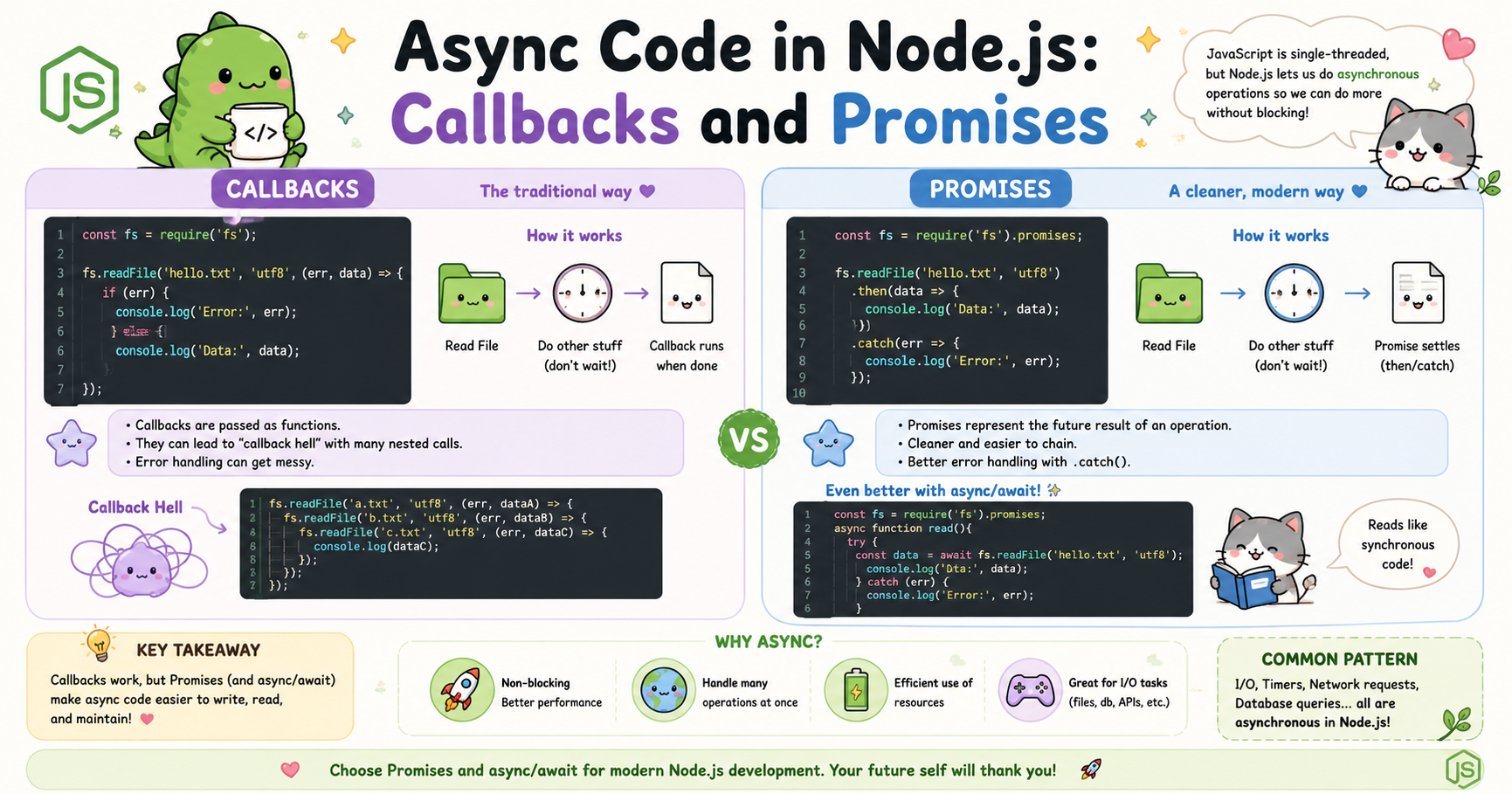
Modern web applications rarely perform only one task at a time. A server may need to read files, query databases, call APIs, authenticate users, and send responses simultaneously. If every operation waited for the previous one to finish, applications would become slow and inefficient. This is why asynchronous programming is a core part of Node.js.
Node.js was designed around non-blocking operations. Instead of stopping the entire program while waiting for tasks like file reading or database communication, Node.js continues executing other work. This design makes Node.js highly scalable and suitable for real-time systems, APIs, streaming services, and chat applications.
Understanding asynchronous code is essential for writing efficient Node.js applications. Two major approaches dominate async programming in Node.js: callbacks and promises. Both solve the same problem but in different ways.
Why Async Code Exists in Node.js
Node.js runs on a single-threaded event-driven architecture. This means it uses one main execution thread to handle requests. If one operation blocks the thread for too long, every other request must wait.
Consider a server reading a large file from disk. File operations are relatively slow compared to CPU instructions. If Node.js waited synchronously for the file to finish loading, the server could not process any other user requests during that time.
Instead, Node.js delegates such operations to the system and continues running other tasks. Once the operation finishes, Node.js receives the result and executes the associated callback or promise handler.
This behavior is called asynchronous execution.
A synchronous flow looks like this:
Start file read
Wait until file finishes
Continue execution
An asynchronous flow looks like this:
Start file read
Continue other work immediately
Handle result later when ready
This model improves performance and resource utilization significantly.
Callback-Based Async Execution
Callbacks were the original way to handle asynchronous operations in JavaScript and Node.js. A callback is simply a function passed as an argument to another function. The callback executes later when the async task completes.
Example:
const fs = require("fs");

fs.readFile("data.txt", "utf8", (err, data) => {
    if (err) {
        console.log("Error reading file");
        return;
    }

    console.log(data);
});

console.log("Reading file...");
In this example:
fs.readFile()starts reading the file asynchronously.Node.js does not wait for completion.
"Reading file..."prints immediately.Once the file is ready, the callback function executes.
This pattern became extremely common in early Node.js development.
Callbacks are also used in timers:
setTimeout(() => {
    console.log("Executed after 2 seconds");
}, 2000);
The function passed to setTimeout() is a callback that executes later.


